
eebus Ticket Vending Machine
- Sep 11, 2025
- 3 min read
Updated: Mar 22
Client background
Eternal East Bus (永東巴士) is one of Hong Kong's leading cross-boundary coach operators, specializing in direct bus services between Hong Kong, Macau, and various cities in Mainland China (Greater Bay Area).
Project objective
Design a large vertically screen for convenient travel by shuttle bus to return around China, Hong Kong and Macau.
Provide a not limited purchase from online ticket, would like to help user purchase ticket on eebus stop. Mainly transfer their official website to vending machine:
Mainly transfer their online ticket website to vending machine:


User flow
Self-service machines at the metro station. When using an EEBus ticket vending machine, you must specifically select either a "One-way" (單程) or "Round-trip" (來回) ticket at the beginning of the purchase process to view the correct bus frequencies and options for your journey.
The user is correct to note that ticket type selection impacts the available options. The specific frequency differences between one-way and round-trip tickets will depend on your specific route and travel dates, as schedules are subject to adjustment based on factors like traffic and capacity.
General Steps for Using an EEBus Ticket Vending Machine
While specific machine interfaces may vary, the general process should be as follows, with critical choices highlighted:
Select Language: The initial screen is often in Chinese. Look for a language option (e.g., "English" or 繁體/简体) to switch the display to your preferred language.
Choose Ticket Type: This is the crucial step. You will see prominent options like "One-way" (單程) or "Round-trip" (來回) on the screen.
Selecting "Round-trip" will prompt you to choose both an outbound and a return date/time, potentially offering different frequency options or pricing compared to two separate one-way tickets.
Selecting "One-way" will only prompt for a single journey's details.
Enter Journey Details:
Select your Departure City and Arrival City.
Choose your specific Boarding Point and Alighting Point from the available lists.
Select your Departure Date (and return date if applicable).
Select the desired departure time from the list of available bus frequencies/schedules. The available times will reflect the current schedule for your chosen ticket type and route.
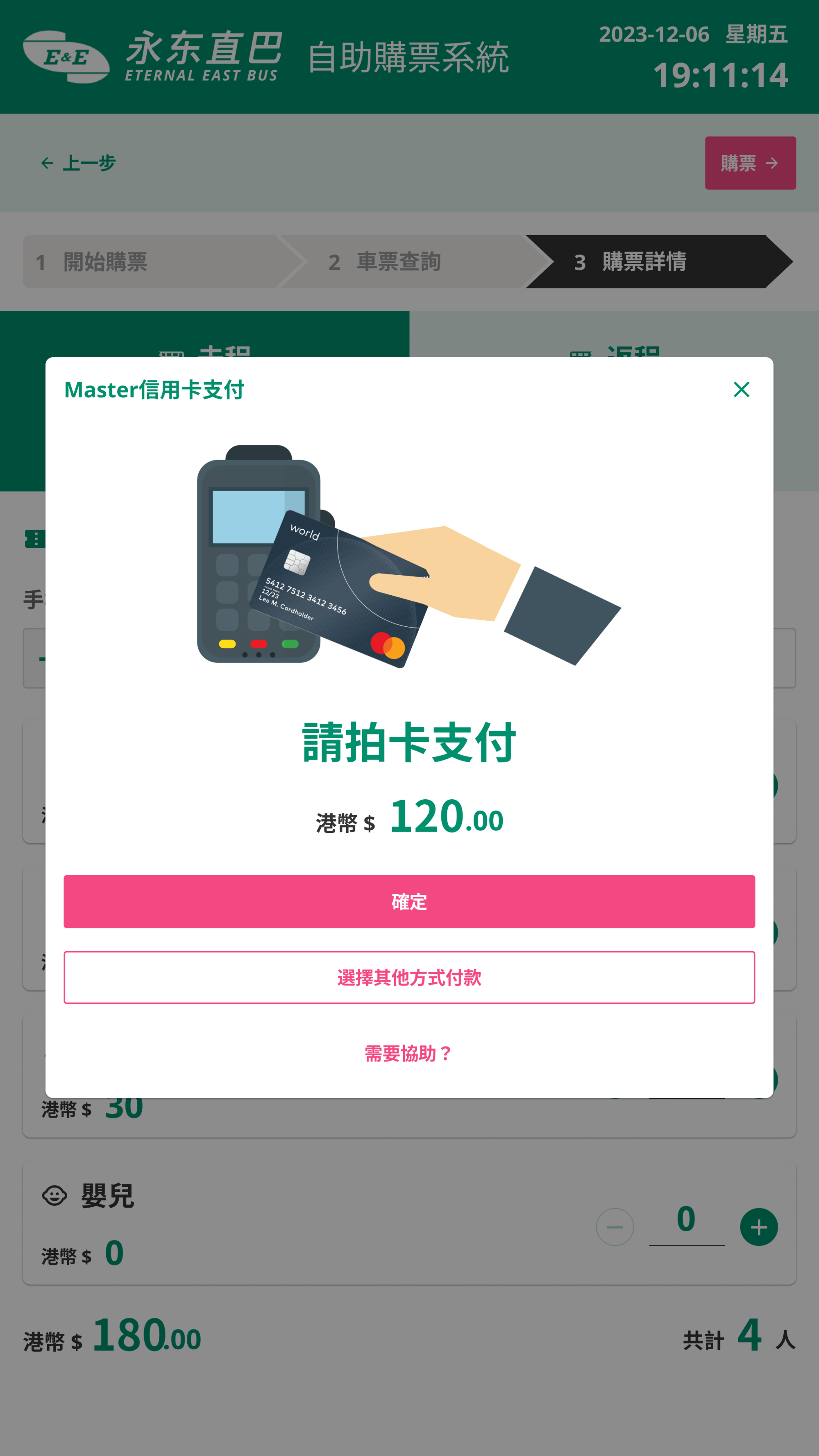
Confirm Details and Pay: A confirmation screen will display your selected journey details and the total fare. Review everything carefully.
Payment: The machines typically accept various payment methods (cash and/or credit/debit cards).
Collect Tickets: Take your printed tickets and any change/card when the transaction is complete.
One-way ticket
To purchase a one-way ticket with Eternal East Bus (永東巴士), you simply select the "One-way" (單程) option on their official website or app during the booking process. The fare for one-way tickets is typically based on distance.
Travel ticket valid only for a trip from an origin to a destination, without a scheduled return to the starting point. Generally price legs individually. Booking two one-way tickets often costs the same as a round-trip.

Round-trip ticket
To purchase a round-trip ticket with Eternal East Bus (永東巴士), you need to use their online booking system or a partner platform and explicitly select the "Round-trip" (來回) option during the search process.
Single travel document or booking that includes both the outbound journey from the origin to a destination and the return journey back to the original starting point.

Key Consideration
The available frequencies and times for round-trip options might differ from a simple combination of two one-way trips, so paying close attention to the choices presented after selecting "round-trip" is important.
Design layout
Requirement need enlarge UI suitable for wide-ranging screen. Pay attention one-way / round-trip ticket have different options to shuttle bus trequency. Ensuring usability on everything from website to high-resolution kiosk machine.
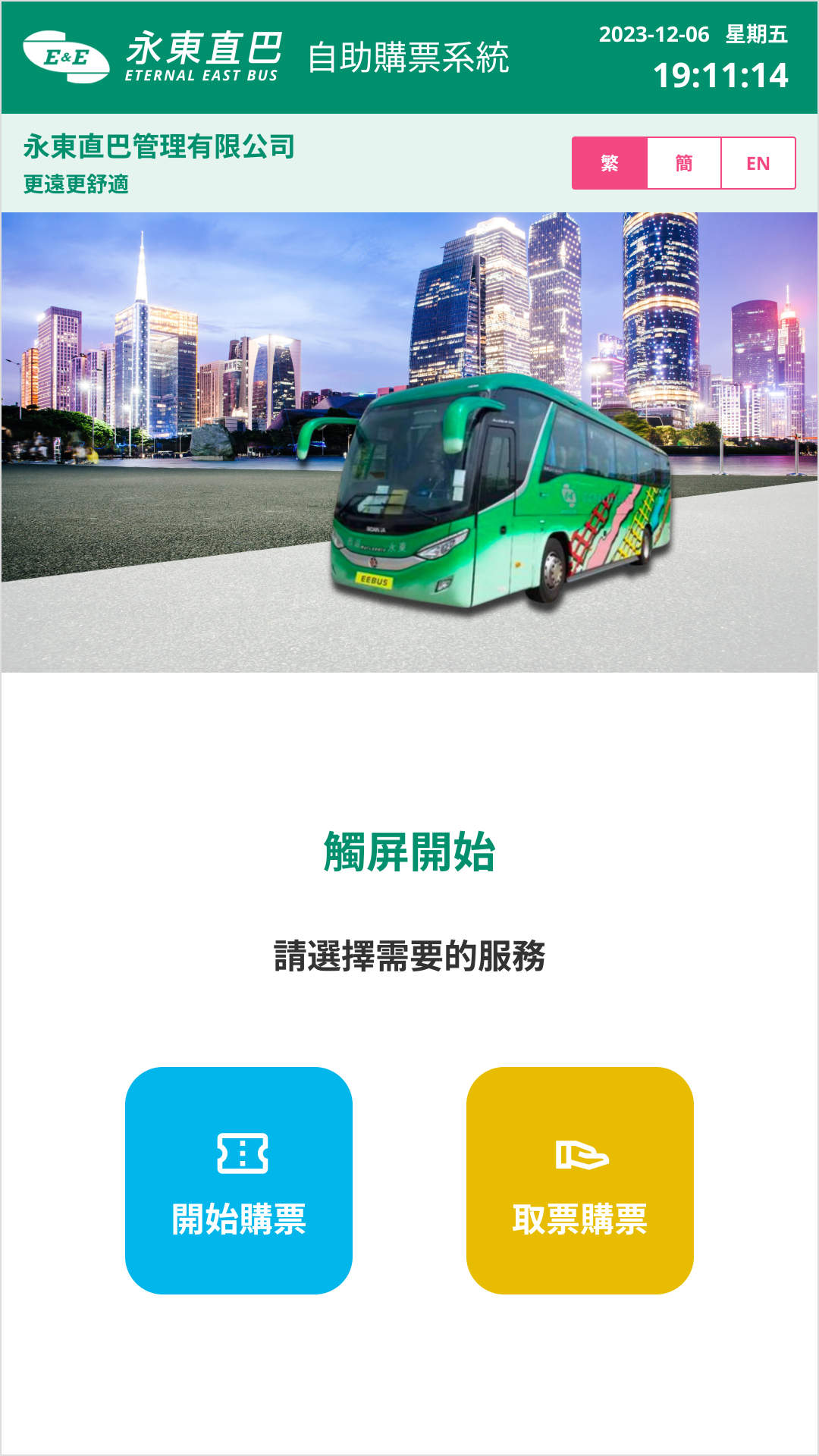
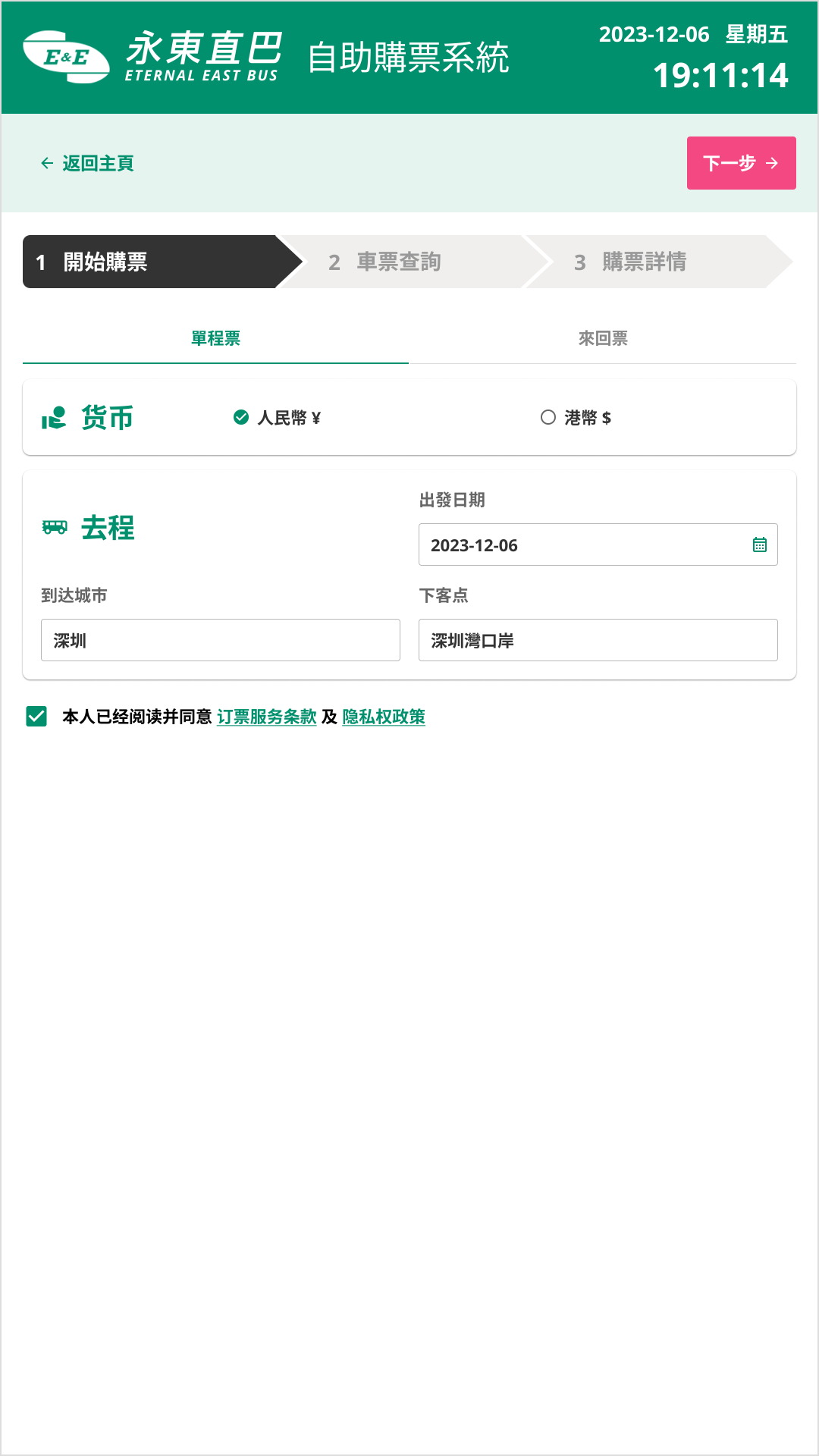
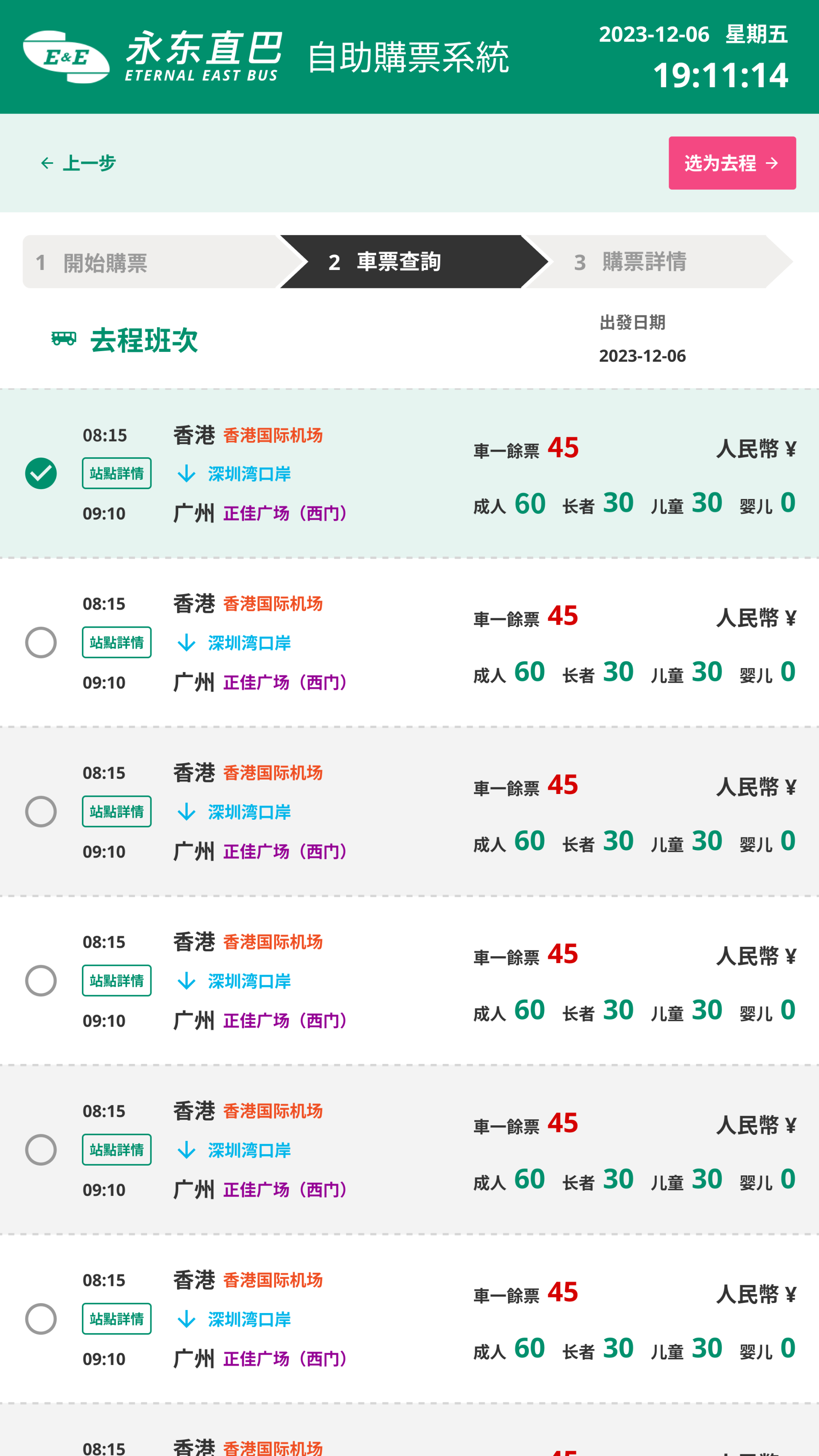
Make sense of UX with ticket purchase process using on stepper. The UX of a ticket purchase process using a stepper (also known as a wizard or multi-step form) focuses on reducing cognitive load through progressive disclosure and staged disclosure.
Structural Logic of the Stepper is most effective when it breaks a long, mentally taxing process into a linear sequence of 3 digestible steps. For ticket purchasing, the standard workflow follows this hierarchy:
Comments